Browser guide · Góc Làm Việc Editorial · Publisher information checked 24 October 2026
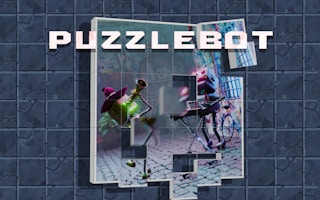
Puzzlebot is a jigsaw game, not a robot-programming puzzle. These Puzzlebot jigsaw puzzle tips focus on organising visual information before repeatedly trying pieces at random. Choose a manageable difficulty, build a few reliable connections, and use a hint to answer a specific question.
- Guide focus
- Organise jigsaw pieces and use hints purposefully
- Genre
- Jigsaw puzzle
- Game provider
- GamePix
- Play format
- Browser player, loaded on request
Puzzlebot browser controls
Use the mouse or touchpad to drag and drop puzzle pieces. Select a difficulty in the available menu and use the hint icon when needed. The publisher describes several pictures and three difficulty choices; use the options visible in your current browser build.
Choose difficulty for the picture, not your pride
Our suggestion is to judge the image before deciding how many pieces to handle. A picture with broad similar colours can be harder to read than one with strong objects and edges. Start lower if you cannot recognise useful features. Increasing difficulty is more meaningful once you understand the image than while you are still learning the controls.
Sort by edge, colour and distinctive detail
First identify obvious borders where the piece shape allows it. Then group a few pieces by a recognisable object or colour boundary. Do not force every blue piece into one location simply because it matches the background. A feature crossing two pieces is a stronger clue than a broad colour shared by many pieces.
Use the hint button with a question
Before requesting help, name the uncertainty: is this group in the wrong part of the image, or are two neighbours reversed? Look for that information in the hint, then return to solving. Our suggested rule is to use the clue to make one understood connection rather than treating the hint as a substitute for examining the picture.
When the last few pieces refuse to fit
Inspect the surrounding joins before assuming the remaining piece is wrong. An earlier placement can look plausible in a low-detail area while blocking later progress. Work backwards from a distinctive edge or object and change one suspect join. This is a general jigsaw diagnostic, not a promise that the game accepts incorrectly placed pieces in every mode.
Play Puzzlebot in your browser
This is the same provider URL already used in our game catalog. The partner player loads only after you press Play; its advertising and privacy terms apply.
Puzzlebot FAQ
Is Puzzlebot about coding a robot?
No. The linked game is a drag-and-drop jigsaw puzzle. The title should not be confused with unrelated programming games.
Should I use a hint as soon as I slow down?
Try identifying the exact uncertainty first. A hint is more useful when it answers a specific placement question rather than replacing the whole solving process.
Related browser game guides
- Jigsaw Sort
- Play Mahjong Classic Online Free – Relaxing Tile Matching Solitaire
- Play Wood Color Block Puzzle Online Free – Sliding Brain Teaser
Browse all Game Guides & Tips →
Source and editorial notes
GamePix — Puzzlebot instructions and edition details
Prepared with AI assistance from the linked publisher information. Tactical checklists and hypothetical examples are editorial suggestions, not a claim of hands-on testing or guaranteed results. Controls, builds, saves and advertising can change. We do not promise rankings, rewards or ad revenue.