Browser guide · Góc Làm Việc Editorial · Publisher information checked 24 October 2026
This Babel Tower production bottleneck guide asks one question before every purchase: which stage is preventing the next stage from working? More production is useful only when the rest of the chain can use it. Follow the materials through the site rather than buying whichever upgrade is currently cheapest.
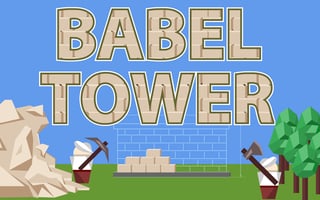
- Guide focus
- Find the slow stage before buying an upgrade
- Genre
- Idle resource management
- Game provider
- GamePix
- Play format
- Browser player, loaded on request
Babel Tower browser controls
Click or hold on the relevant on-screen work area to assist resource production. Use the visible purchase controls for workers and improvements. Touch players can use the corresponding tap controls. Read each upgrade’s current description before spending.
Trace the resource chain before buying
The published game description involves stone, bricks and wood feeding construction. Our diagnostic method is to observe the input and output around a slow stage. If the next station repeatedly waits for material, investigate the supplier. If material accumulates without being used, look further downstream instead of increasing the stockpile.
An illustrative brick-production diagnosis
Imagine that stone is building up while usable bricks remain scarce. That observation points toward processing rather than more extraction, provided the current site actually shows that relationship. After a processing upgrade, watch whether the pile begins moving. This is a hypothetical bottleneck example, not a claim about an exact starting level or fixed upgrade price.
Choose an upgrade order from evidence
Use a loop: observe the stall, choose one relevant improvement, then reassess. Automation and worker purchases can reduce manual input, but an automated stage can still be starved of supplies. Avoid upgrading every station equally simply for symmetry. The best next purchase can change as construction progresses.
Distinguish idle progress from an unattended guarantee
An idle game can reduce repeated clicking, but that does not establish how a particular browser handles closed tabs, saving or offline rewards. Test a short return before relying on a long absence. Keep storage available if you want the browser to retain local progress, and do not assume another device automatically shares the same save.
Play Babel Tower in your browser
This is the same provider URL already used in our game catalog. The partner player loads only after you press Play; its advertising and privacy terms apply.
Babel Tower FAQ
What should I upgrade first in Babel Tower?
Start with the stage visibly holding back the chain. A fixed order is less useful than checking whether a station lacks input or cannot process what it already has.
Does holding the mouse solve every slowdown?
It can assist the selected work area, but it does not replace diagnosing a different stage that is limiting the chain.
Related browser game guides
- Monkey Mart Guide: Stock Shelves and Fix Store Bottlenecks
- Play Drop Planets Online Free – Suika-Style Planet Merge Puzzle
- Puzzlebot
Browse all Game Guides & Tips →
Source and editorial notes
GamePix — Babel Tower instructions and edition details
Prepared with AI assistance from the linked publisher information. Tactical checklists and hypothetical examples are editorial suggestions, not a claim of hands-on testing or guaranteed results. Controls, builds, saves and advertising can change. We do not promise rankings, rewards or ad revenue.